
MCP Security Error Monitoring: Debugging Production Issues Fast
Discover how Golf's MCP security error monitoring accelerates debugging by detecting protocol-level threats and reducing resolution time.

MCP Security Error Monitoring: Debugging Production Issues Fast
MCP security error monitoring captures protocol-specific threats like prompt injection and token hijacking while providing real-time traces for debugging. Golf's protocol-aware telemetry combines OpenTelemetry integration with an MCP firewall, reducing mean-time-to-resolution from hours to minutes by automatically instrumenting tool calls, tracking security events, and exporting data to existing observability platforms.
At a Glance
- 40% of users abandon apps after just two crashes, while teams using error monitoring fix bugs 5x faster than manual debugging
- Golf automatically captures execution timing, success rates, and security events when you set the
GOLF_API_KEYenvironment variable - The MCP Firewall blocks five critical attack vectors including prompt injection, tool shadowing, and privilege escalation in real time
- OTLP export enables seamless integration with Datadog, Sentry, and New Relic without vendor lock-in
- Production deployment follows a 90-day roadmap: foundation (instrumentation), integration (alerting platforms), and optimization (threshold tuning)
- Golf provides unified monitoring across 2 or 200 MCP servers from a single control plane without expanding attack surface
MCP security error monitoring is the discipline of capturing traces, metrics, and security events specific to Model Context Protocol traffic in real time. Unlike generic application performance monitoring, it must detect protocol-level threats such as prompt injection or token hijacking while retaining full audit trails for compliance. Golf's protocol-aware telemetry fuses OpenTelemetry traces with a dedicated MCP firewall, giving teams one dashboard for performance and security issues and shortening mean-time-to-resolution from hours to minutes.
Why MCP Security Error Monitoring Matters Now
"The Model Context Protocol (MCP) has taken the internet by storm by rapidly becoming the standard for Large Language Models (LLMs) to communicate with external data sources or tools." (Moesif)
As MCP adoption accelerates, so do the attack vectors. Palo Alto Networks identifies five critical attack vectors: Hidden Instructions (Prompt Injection), Tool Shadowing and Impersonation, Excessive Agency and Privilege Escalation, Data Exfiltration Through Legitimate Channels, and Rugpull and Trust Exploitation.
The stakes are high for production teams. Research shows that 40% of users abandon apps after just two crashes, and teams using error monitoring fix bugs five times faster than those relying on manual methods.
Error monitoring is the process of tracking, identifying, and resolving errors in software applications. For MCP environments, this means going beyond traditional APM to capture protocol-specific threats before they cascade into full-scale incidents.
Key takeaway: MCP security error monitoring is no longer optional. It is the difference between catching a prompt injection attempt and explaining a data breach to your CISO.
Why Does Manual Debugging Fail on MCP Servers?
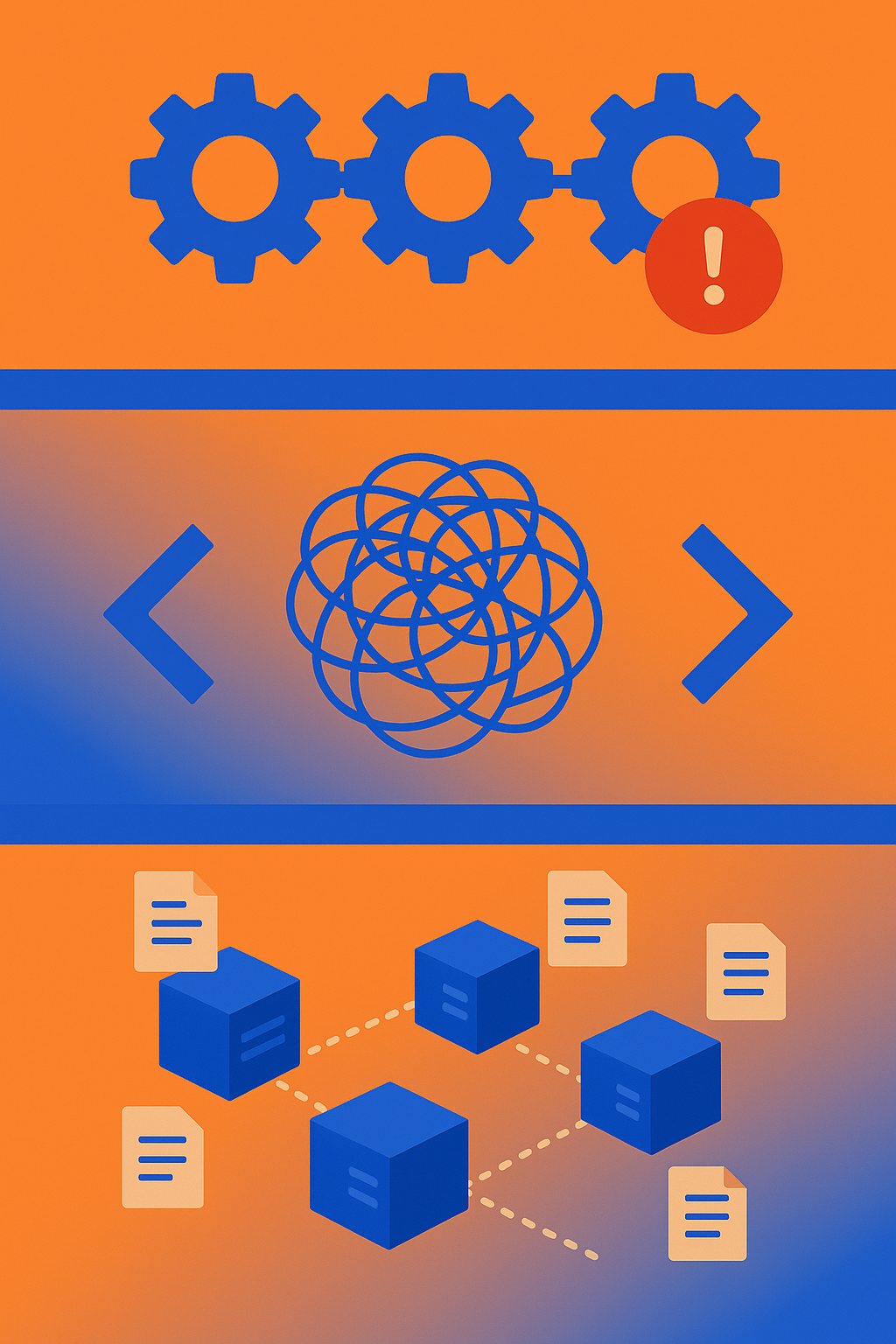
Manual debugging relies on log-grepping, ad-hoc scripts, and reactive firefighting. In MCP environments, these approaches break down for three reasons.
1. Unhandled Exceptions Crash Entire Workflows
When an MCP tool fails during execution, it propagates as an unhandled exception that crashes the entire ADK agent workflow, stopping all subsequent agents in a SequentialAgent pipeline. A single "Resource not found" error can halt a multi-agent workflow that took hours to orchestrate. (GitHub Issue #742)
2. Minified Stack Traces Obscure Root Causes
The Crash Analyzer tool enables you to take a minified JavaScript stack trace and rapidly work backwards to determine what lines of code caused the error. Without source maps and proper telemetry, engineers waste hours mapping production errors back to original source code. (Microsoft Edge DevTools)
3. Fragmented Logs Hide the Full Picture
MCP Cloud's troubleshooting guide lists common symptoms like servers showing "Deploying" status for more than five minutes, 401 Unauthorized responses, and requests taking longer than expected. Each requires manual investigation of server logs, API keys, and resource limits. (MCP Cloud Troubleshooting)
| Manual Debugging Step | Time Cost | Outcome |
|---|---|---|
| Grep logs for error strings | 15-30 min | Partial context |
| Correlate across services | 30-60 min | Often incomplete |
| Identify root cause | 1-4 hours | Guesswork |
| Validate fix in production | 30+ min | No guarantee |
Key takeaway: Manual debugging is not just slow. It is fundamentally incompatible with the speed and complexity of MCP-enabled agentic workflows.
How Does Golf's Protocol-Aware Telemetry Deliver Instant Visibility?
Golf v0.2.0 introduces comprehensive telemetry and monitoring capabilities through automatic OpenTelemetry integration, enhanced instrumentation, and seamless Golf Platform connectivity. (Golf Telemetry Docs)
Telemetry is automatically enabled when you set the GOLF_API_KEY environment variable. There is no SDK sprawl, no manual instrumentation, and no waiting for DevOps to provision a new pipeline.
What Golf Captures by Default:
- Execution timing for every tool call
- Success and failure rates across all MCP servers
- Error information with full stack context
- Security events including blocked prompt injections
OpenTelemetry (OTel) is an open-source observability framework for cloud-native software, providing a set of APIs, libraries, agents, and instrumentation to enable the collection of telemetry data such as metrics, logs, and traces. (SigNoz)
The platform's automatic OTel integration means you get vendor-neutral telemetry data that can be exported to any backend for analysis. No lock-in, no custom agents, no maintenance burden.
"With OpenTelemetry and Open, we can finally look at all our observability data in one place, filter it instantly, and understand exactly what's happening across thousands of workloads." -- Karsten Schnitter, Software Architect at SAP (OpenSearch Case Study)
Where Does the Data Go -- OTLP, Jaeger & Signoz?
Golf exports traces via the OpenTelemetry Protocol (OTLP), which is compatible with virtually every modern observability backend.
| Export Target | Use Case | Setup Complexity |
|---|---|---|
| OTLP Collector | Central aggregation | Low |
| Jaeger | Distributed tracing | Medium |
| SigNoz | Unified APM | Low |
| Datadog | Enterprise alerting | Low |
| New Relic | Full-stack observability | Low |
You can use Docker Compose to spin up a Jaeger instance with an OpenTelemetry collector exposed on http://localhost:4317, a Jaeger agent on http://localhost:14268, and a Jaeger UI on http://localhost:16686. (Agent Gateway Docs)
SigNoz provides a unified platform to monitor metrics, logs, and traces, helping developers debug production issues faster. Because it is built on OpenTelemetry, you avoid vendor-specific SDKs and can switch backends without re-instrumenting your code. (SigNoz)
Key takeaway: Golf's OTLP export means your telemetry data flows into whatever stack you already use. No migration required.
How Can You Block Prompt Injection in Real Time With Golf MCP Firewall?
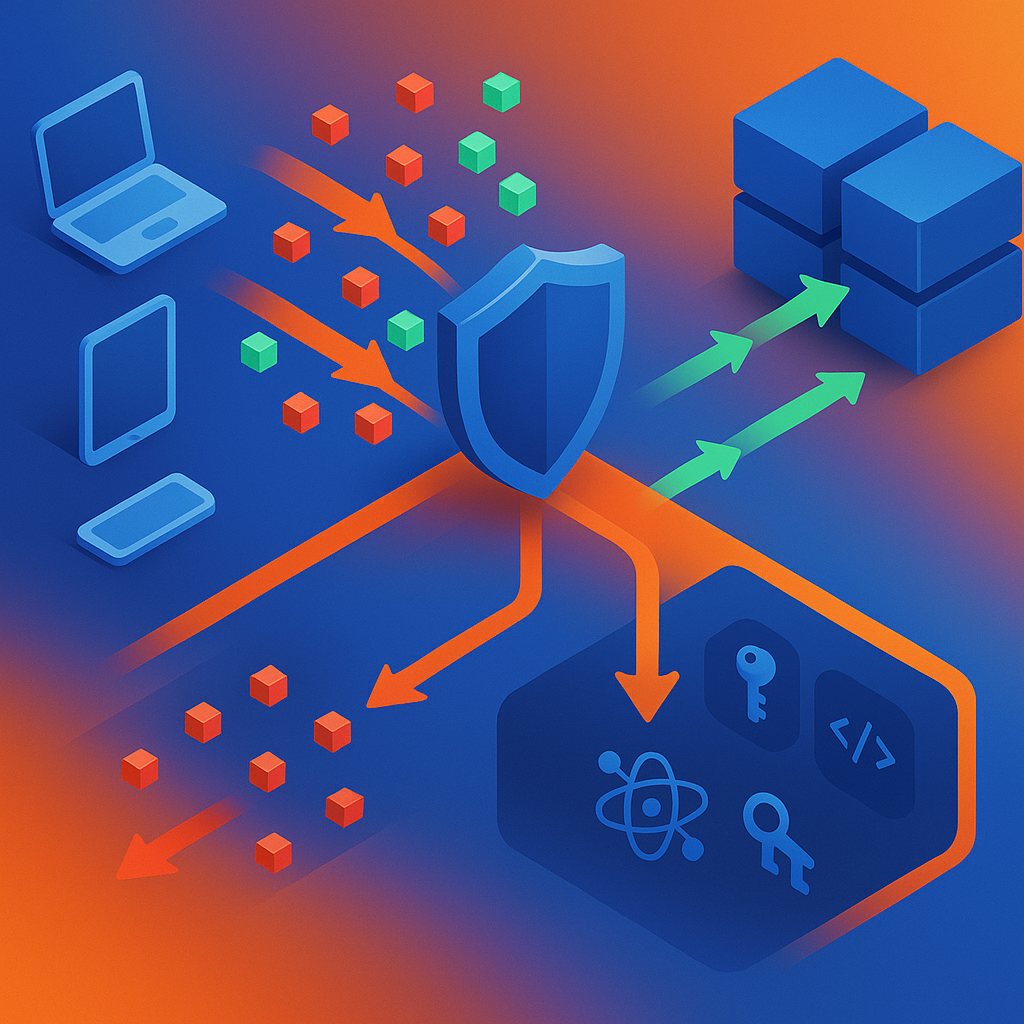
Legacy tools are blind to MCP-specific threats. Golf provides the protocol-aware inspection needed to see and block attacks like prompt injection and token hijacking at the edge. (Golf MCP Firewall)
The Golf MCP Firewall is a protocol-aware security solution that sits in front of your servers. It gives teams a single dashboard where they manage security, including token validation, RBAC rate limiting, and data flow tracing needed to move MCP infrastructure into production with confidence.
Attacks Golf Blocks in Real Time:
- Prompt injection & tool poisoning -- tricking agents into unsafe actions
- Token hijacking -- reusing or manipulating credentials
- Command injection -- exploiting poorly validated inputs
- Tool spoofing -- impersonating or redirecting tool calls
- Policy bypass -- exploiting differences across multiple servers
Palo Alto Networks recommends implementing a robust security strategy with detailed recommendations on Allowlisting, Guaranteed Runtime Security Enforcement, and deploying a Proxy MCP Communication Layer to manage agency and prevent attacks. (Palo Alto Networks)
Researchers have introduced a new class of prompt-level privacy attacks that covertly force the agent to invoke a malicious logging tool to exfiltrate sensitive information. These attacks achieve high success rates across five real-world MCP servers and four state-of-the-art LLM agents without degrading task performance. (OpenReview Paper)
Golf intercepts these attacks at the protocol layer before they reach your backend.
Token Validation & OAuth 2.1 Step-Up
JWT authentication provides enterprise-grade security with JWKS (JSON Web Key Set) support. This is the recommended approach for production environments where you need standards-compliant token validation. (Golf Authentication Docs)
Golf enforces authentication depth beyond what plain OAuth provides. When a resource server determines that the authentication event associated with the access token does not meet its requirements, Golf can signal the client to request a specific authentication strength or recentness from the authorization server. (RFC 9470)
Step-Up Authentication Flow:
- Client presents access token to Golf
- Golf validates token against JWKS endpoint
- If authentication level is insufficient, Golf returns challenge with required
acr_valuesormax_age - Client re-authenticates at higher level
- Golf grants access after validation
This mechanism makes interoperable step-up authentication possible with minimal work from resource servers, clients, and authorization servers.
Key takeaway: Golf's MCP Firewall is not a bolt-on. It is the protocol-aware layer that traditional WAFs and API gateways cannot replicate.
Automated Alerts: How to Pipe Golf Traces Into Datadog, Sentry, and New Relic
Golf's OTLP export makes it straightforward to wire traces into your existing alerting platforms.
Platform Integration Options:
Datadog: Error Tracking monitors automatically detect and group related errors across your services, providing a single view of all errors impacting your users. (Datadog Error Tracking)
Sentry: Sentry's SDK hooks into your runtime environment, letting you recover from panics and also manually capture and report errors and other events. The SDK supports asynchronous transport by default, ensuring non-blocking operations during error capturing. (Sentry for Go)
New Relic: New Relic's MCP server provides specialized tools that enable AI agents to access and analyze your observability data. MCP tools are invoked through natural language queries in your AI development environment. (New Relic MCP Tool Reference)
Step-by-Step: Datadog Integration
- Set
GOLF_API_KEYenvironment variable - Configure OTLP exporter endpoint to Datadog agent
- Create Error Tracking monitor for new issues
- Set notification channels (Slack, PagerDuty, email)
- Define alert thresholds based on error count or impact
Error Tracking monitors can be configured to notify your team through email, Slack, PagerDuty, and other channels. (Datadog Error Tracking)
Setting Impact-Based Thresholds, Not Noise
Alert fatigue is a real problem. Datadog Error Tracking automatically groups all your errors into issues across your web, mobile, and backend applications. This grouping prevents thousands of duplicate alerts from overwhelming your on-call rotation.
High-Impact Monitor Types:
- New Issue monitors alert on issues that are in the For Review state and meet your alerting conditions
- High Impact monitors alert on issues that are For Review or Reviewed and that meet your alerting conditions
- Regression monitors alert when previously resolved issues resurface
(Datadog Error Tracking Monitors)
New Relic's intelligent detection capabilities pinpoint critical performance issues. Anomaly and outlier detection across the entire stack, combined with machine learning-based threshold recommendations, dramatically reduce alert noise. Customer results include a 50% lower MTTR for Gett, a 99% reduction in delay for AB InBev, and a 65% reduction in incident volume for PicPay. (New Relic Alerts)
"With New Relic, we don't have to build dashboards and create alerts for everybody. We've federated that ownership to our teams." -- Andrew Longmuir, William Hill (New Relic Alerts)
Key takeaway: Impact-based thresholds mean you wake up for real incidents, not noise.
What's the 90-Day Roadmap to Production-Ready MCP Monitoring?
Deploying MCP monitoring is not a one-day project. Here is a phased plan your team can copy.
| Phase | Days | Objective | Key Actions |
|---|---|---|---|
| Foundation | 1-30 | Instrument and export | Set GOLF_API_KEY, configure OTLP exporter, validate traces in dev |
| Integration | 31-60 | Connect alerting platforms | Wire to Datadog/Sentry/New Relic, create baseline monitors, define escalation paths |
| Optimization | 61-90 | Reduce noise, increase coverage | Tune thresholds, add custom spans, enable MCP Firewall in enforce mode |
Phase 1: Foundation (Days 1-30)
The golf command-line interface is your primary tool for managing GolfMCP projects. Initialize your project with golf init, build with golf build --env=prod, and run with golf run. The build environment parameter is required and must be either dev or prod. (Golf CLI Docs)
Phase 2: Integration (Days 31-60)
For each agentic use case in your organization's AI portfolio, identify and assess the corresponding organizational risks, and if needed, update your risk assessment methodology. This is not just about tooling. It is about governance. (McKinsey Agentic AI Playbook)
Phase 3: Optimization (Days 61-90)
In McKinsey's experience, roughly 30 to 50 percent of a team's "innovation" time with gen AI is spent on making the solution compliant or waiting for compliance requirements to solidify. Automated, responsible AI guardrails should automatically audit LLM prompts and responses to prevent data policy violations. (McKinsey Gen AI Programs)
Key takeaway: 90 days to production-ready is aggressive but achievable if you follow the phased approach.
Stop Grepping Logs -- Start Seeing Threats
With Golf, security doesn't erode as your MCP footprint grows. Whether you operate 2 or 200 servers, Golf gives you one secure front door, consistent policies across every server, and unified monitoring and audit logging. Scaling your infrastructure no longer means scaling your attack surface. (Golf MCP Firewall)
Telemetry is automatically enabled when you set the GOLF_API_KEY environment variable. There is no SDK sprawl, no manual instrumentation, and no waiting for DevOps to provision a new pipeline. (Golf Telemetry Docs)
Golf v0.2.0 introduces comprehensive telemetry and monitoring capabilities through automatic OpenTelemetry integration, enhanced instrumentation, and seamless Golf Platform connectivity. The combination of protocol-aware firewall controls and automatic OTLP export means you get both security and observability in a single deployment.
Action: Deploy Golf in front of your MCP servers today. Set your GOLF_API_KEY, wire up your alerting platform, and stop grepping logs for clues about what happened yesterday. Start seeing threats in real time.
Frequently Asked Questions
What is MCP security error monitoring?
MCP security error monitoring involves capturing traces, metrics, and security events specific to Model Context Protocol traffic in real time. It detects protocol-level threats like prompt injection and token hijacking while maintaining audit trails for compliance.
Why is manual debugging ineffective for MCP servers?
Manual debugging is ineffective for MCP servers because it relies on log-grepping and ad-hoc scripts, which are slow and often incomplete. MCP environments require real-time monitoring to handle unhandled exceptions, minified stack traces, and fragmented logs effectively.
How does Golf's protocol-aware telemetry enhance visibility?
Golf's protocol-aware telemetry provides comprehensive monitoring through automatic OpenTelemetry integration, capturing execution timing, success and failure rates, error information, and security events. This enables teams to have instant visibility into MCP server performance and security.
What threats does the Golf MCP Firewall block?
The Golf MCP Firewall blocks threats such as prompt injection, token hijacking, command injection, tool spoofing, and policy bypass. It provides protocol-aware inspection to prevent these attacks at the edge, ensuring secure MCP infrastructure.
How can Golf's OTLP export be integrated with existing platforms?
Golf's OTLP export can be integrated with platforms like Datadog, Sentry, and New Relic by configuring the OTLP exporter endpoint and setting up error tracking monitors. This allows for seamless alerting and monitoring across existing systems.
Sources
- https://docs.golf.dev/golf-mcp-framework/telemetry-monitoring
- https://www.app-logs.com/blog/error-monitoring-for-developers-1
- https://www.paloaltonetworks.com/resources/guides/simplified-guide-to-model-context-protocol-vulnerabilities
- https://golf.dev/
- https://www.moesif.com/blog/monitoring/model-context-protocol/How-to-Setup-Observability-For-Your-MCP-Server-with-Moesif/
- https://github.com/google/adk-python/issues/742
- https://learn.microsoft.com/en-us/microsoft-edge/devtools-guide-chromium/crash-analyzer/
- https://mcp-cloud.ai/docs/mcp-servers/troubleshooting
- https://signoz.io/blog/mcp-observability-with-otel
- https://opensearch.org/blog/case-study-sap-unifies-observability-at-scale-with-opensearch-and-opentelemetry
- https://agentgateway.dev/docs/mcp/mcp-observability/
- https://openreview.net/pdf/c2567f59e9e1559bede97fb86ef23287d3b3b5bd.pdf
- https://docs.golf.dev/golf-mcp-framework/authentication
- https://rfc-editor.org/rfc/rfc9470.pdf
- https://docs.datadoghq.com/monitors/types/error_tracking
- https://docs.sentry.io/platforms/go/usage
- https://docs.newrelic.com/docs/agentic-ai/mcp/tool-reference/
- https://docs.datadoghq.com/error_tracking/monitors
- https://newrelic.com/platform/alerts
- https://docs.golf.dev/golf-mcp-framework/cli-commands
- https://www.mckinsey.com/capabilities/risk-and-resilience/our-insights/deploying-agentic-ai-with-safety-and-security-a-playbook-for-technology-leaders
- https://www.mckinsey.com/~/media/mckinsey/business%20functions/mckinsey%20digital/our%20insights/overcoming%20two%20issues%20that%20are%20sinking%20gen%20ai%20programs/overcoming-two-issues-that-are-sinking-gen-ai-programs_final.pdf